An authenticator app that helps you prove you’re human
Add your accounts and get the login codes you need for 2-Step Verification. It works like the authenticator apps you already know, like Google Authenticator and Microsoft Authenticator, while helping you build humanity credits each time you use it.
Then, when a post, comment, or profile needs more credibility, you can use those credits to publish a Signed Statement. One app for all your accounts, free to use.
Looking to migrate from Google Authenticator?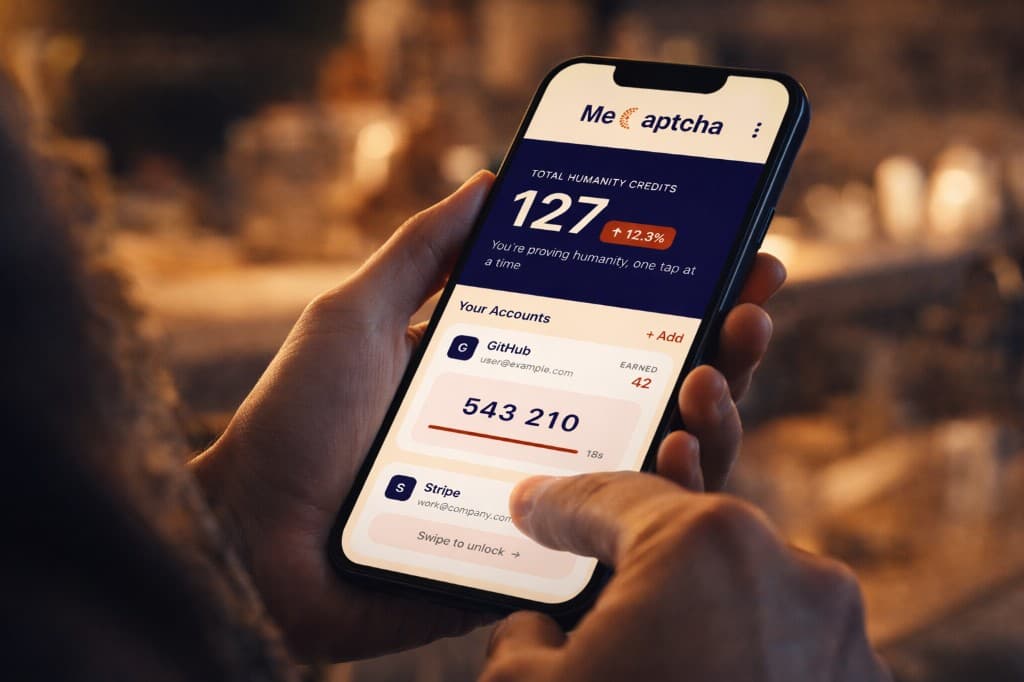
Signed Statements, when you need them
Most authenticator apps stop at security. MeCaptcha gives that same protection for your accounts, then lets you carry the proof forward. When a post, comment, or profile needs more credibility, you can write your message in MeCaptcha and publish it as a Signed Statement.
You get a shareable link and preview card showing that a verified human stood behind the text. That way, the proof you build quietly through everyday sign-ins becomes something you can use publicly when your words need more weight.
Signed statement
I'm commenting as myself—feeds can show this as a verified preview; open the link to confirm the full proof.
Jordan Lee
892 humanity credits
Verified Mar 20, 2026 · valid
How It Works
1
Use it like any authenticator
Add multiple accounts with the same setup you already know—QR or manual entry. Get 6-digit codes that refresh every 30 seconds, with offline access when you need it.
2
Earn humanity credits as you sign in
Every successful sign-in becomes another small proof point that you are human. Over time, those moments add up to a balance of humanity credits that stays yours.
3
Publish a Signed Statement
When something you say online needs more credibility, spend credits to create a shareable Signed Statement that people can open and verify.
More to know
Setup & integration
Works with 2-Step Verification on any service that supports an authenticator app. In the service’s security settings, choose “Set up authenticator” or “Authenticator app,” then scan the QR code or enter the key. One app holds all your accounts.
Time-based codes & offline
MeCaptcha uses the same time-based one-time password (TOTP) standard. Codes are generated on your device and refresh every 30 seconds. They’re computed from a shared secret—no internet required, so you get codes even when you’re offline.
Security & backup
Two-factor authentication adds an extra layer of security if your password is compromised. Where a service offers backup or recovery codes, save them in a safe place. If you lose your device, each service has its own account-recovery process—backup codes or support can help you get back in.
Free to use
No subscription and no hidden costs. MeCaptcha implements the same TOTP standard that many sites use for “authenticator app” or “app-based” 2FA, so it works wherever that option is offered.
Why app-based 2FA?
With 2-Step Verification, you protect your account with something you know (your password) and something you have (your phone). Authenticator apps are widely recommended over SMS for this second step—they’re more secure and aren’t exposed to SIM-swap or interception. MeCaptcha gives you that same security, plus verifiable humanity credits every time you sign in.
Why this is different
Most authenticator apps help protect your accounts and stop there. MeCaptcha keeps that familiar security job, but also turns everyday authentication into proof you can later use when a comment, post, or profile needs a stronger signal that a real person stands behind it.