 April 13, 2026 · MeCaptcha
Migrate from Google Authenticator to MeCaptcha (iOS)
Switching from Google Authenticator to MeCaptcha on iPhone is quick once you know where to tap. In this guide, you will export your existing 2FA accounts from Google Authenticator and import them into MeCaptcha.
Before you start:
- Install the latest MeCaptcha app on your iPhone.
- Keep Google Authenticator installed until you verify your codes in MeCaptcha.
- Do this in a private place, since export QR codes contain sensitive account setup data.
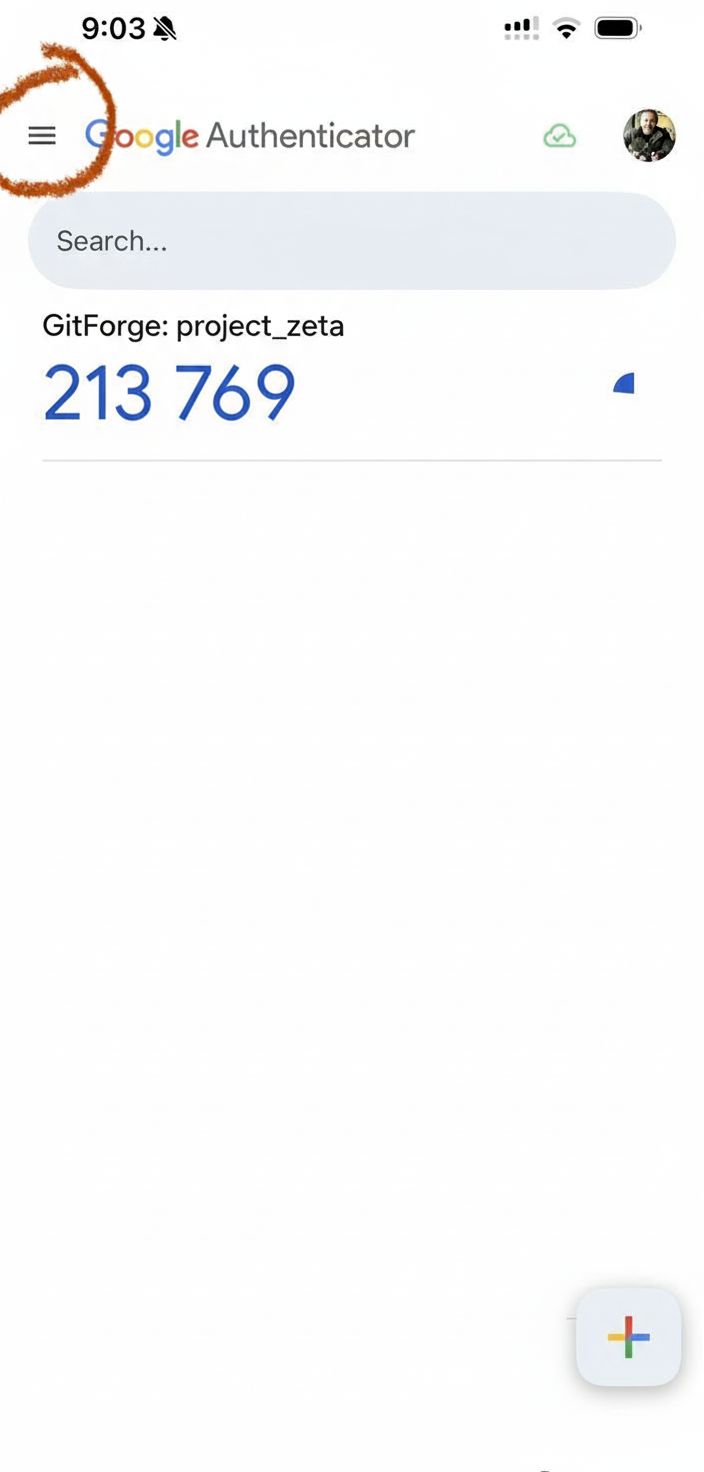
Step 1: Open the Google Authenticator menu
In Google Authenticator, tap the menu icon in the top-left corner.
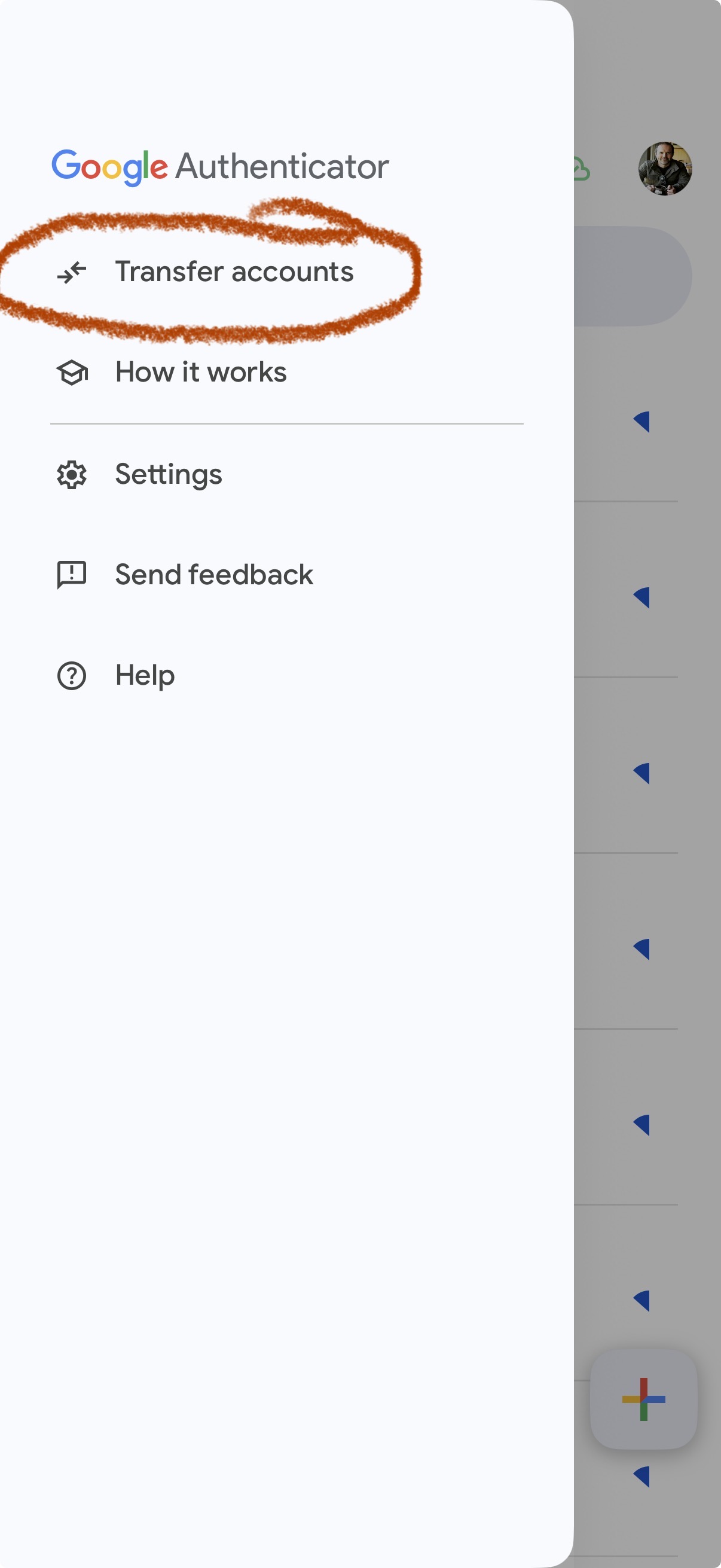
Step 2: Tap Transfer accounts
From the side menu, choose Transfer accounts.
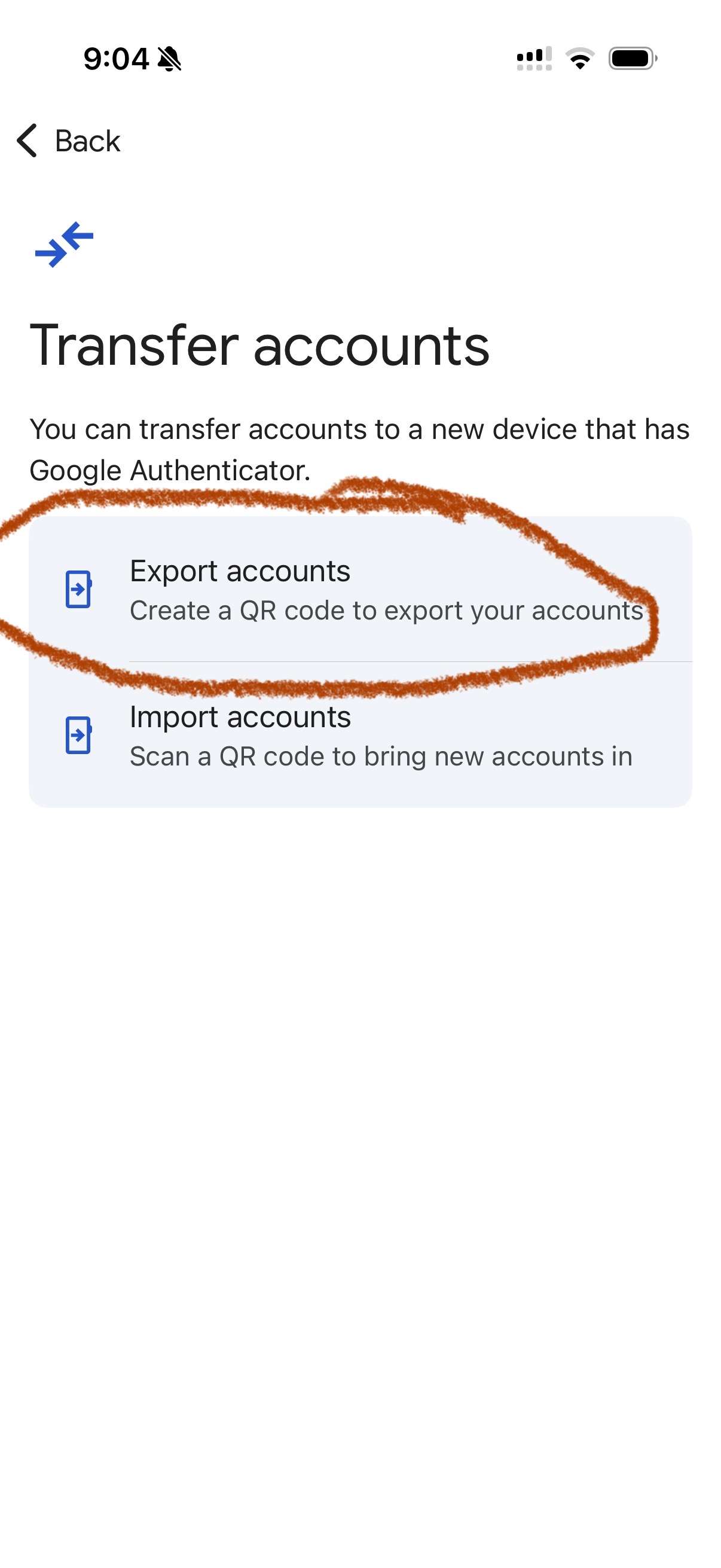
Step 3: Choose Export accounts
On the Transfer accounts screen, tap Export accounts.
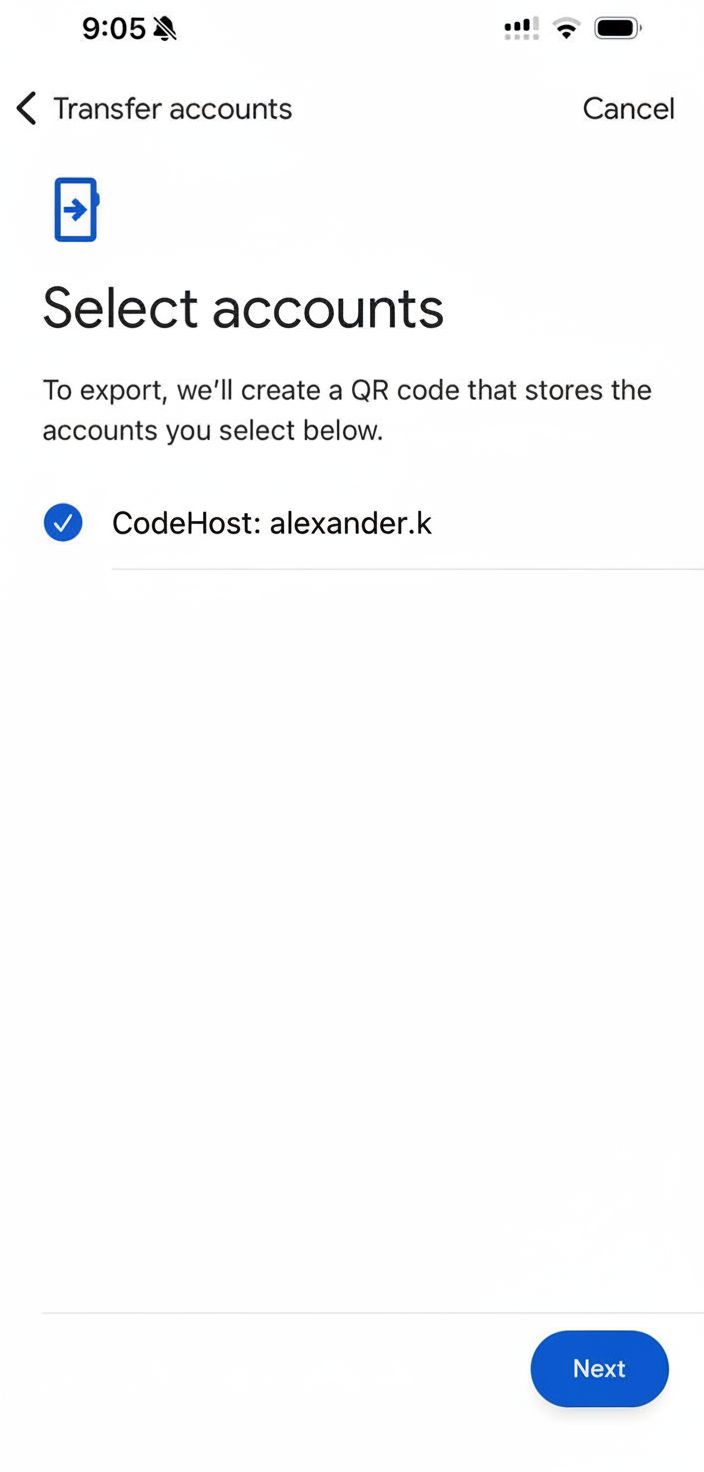
Step 4: Select accounts and continue
Select the accounts you want to move, then tap Next.
Google may split exports into multiple QR codes if you have many accounts.
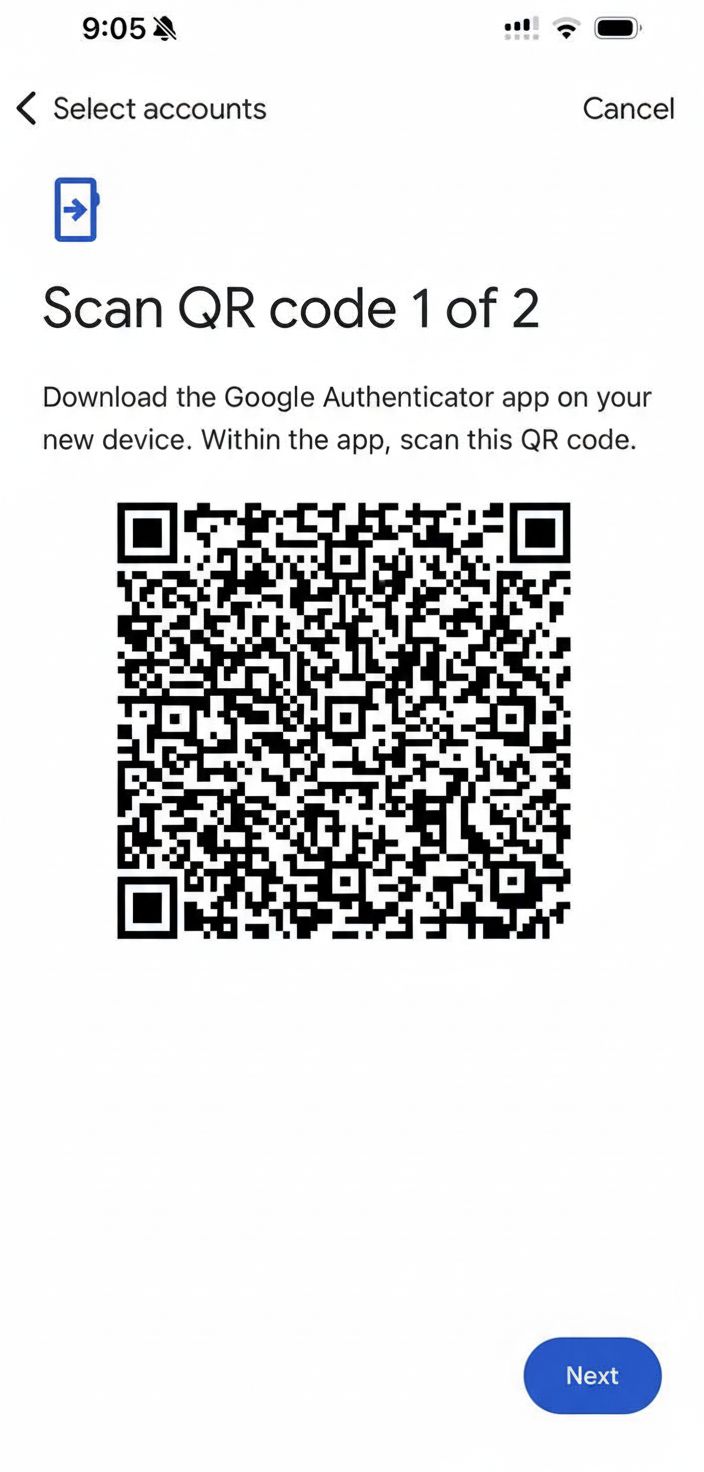
Step 5: Keep the export QR code on screen
Google Authenticator now shows the export QR code. Leave this screen open.
Tip: If you are using one phone, take a screenshot so MeCaptcha can import from your Photos.
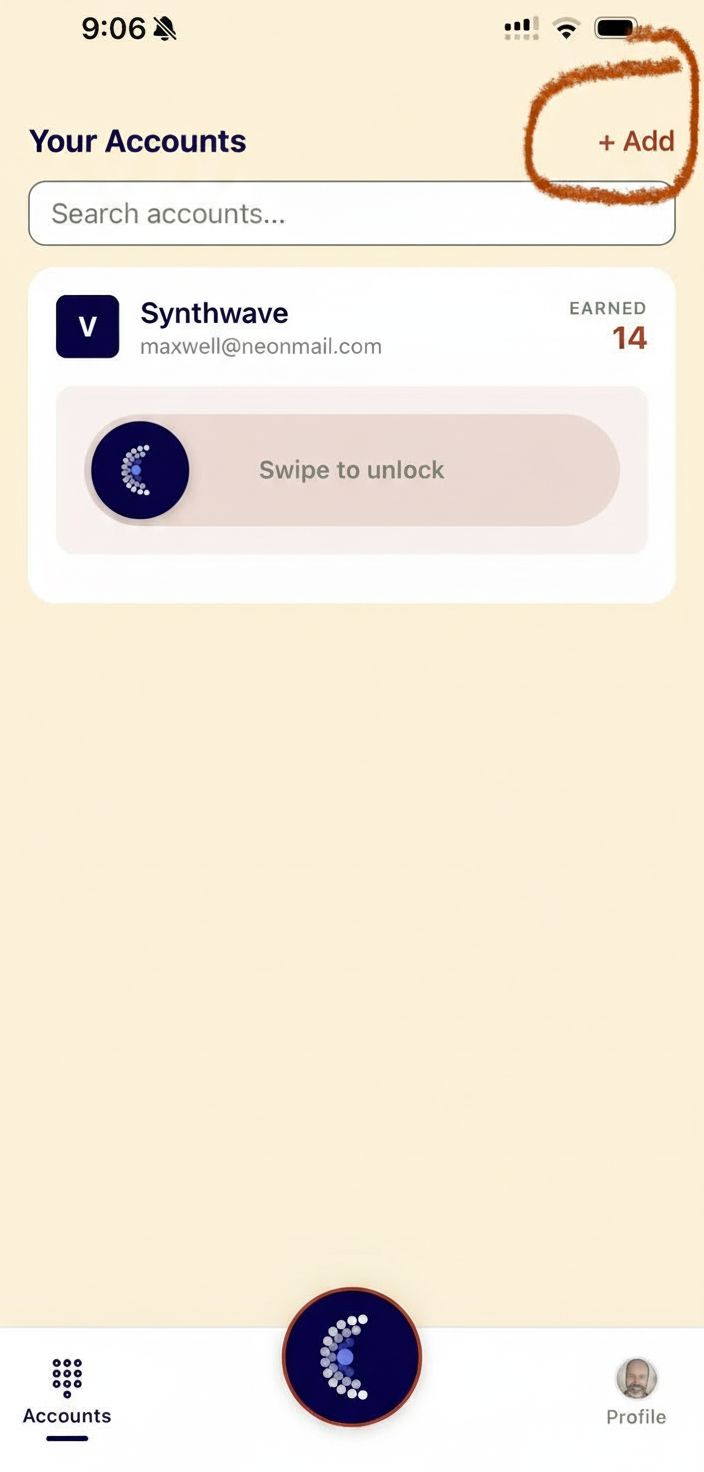
Step 6: In MeCaptcha, tap Add
Open MeCaptcha and tap + Add in the top-right corner.
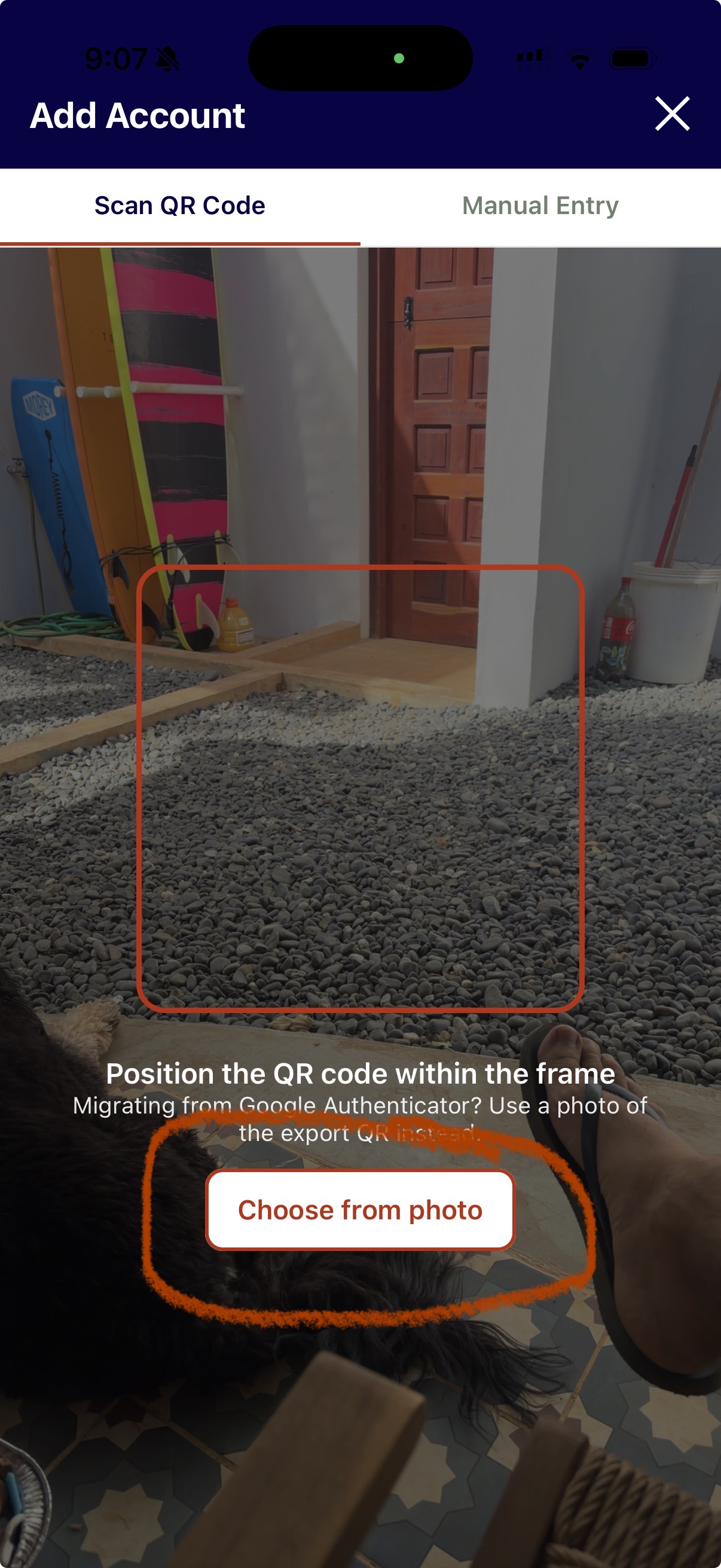
Step 7: Use Choose from photo
On the Add Account scanner screen, tap Choose from photo, then select the screenshot/photo of your Google export QR code.
If Google gave you multiple QR codes, repeat this process for each one.
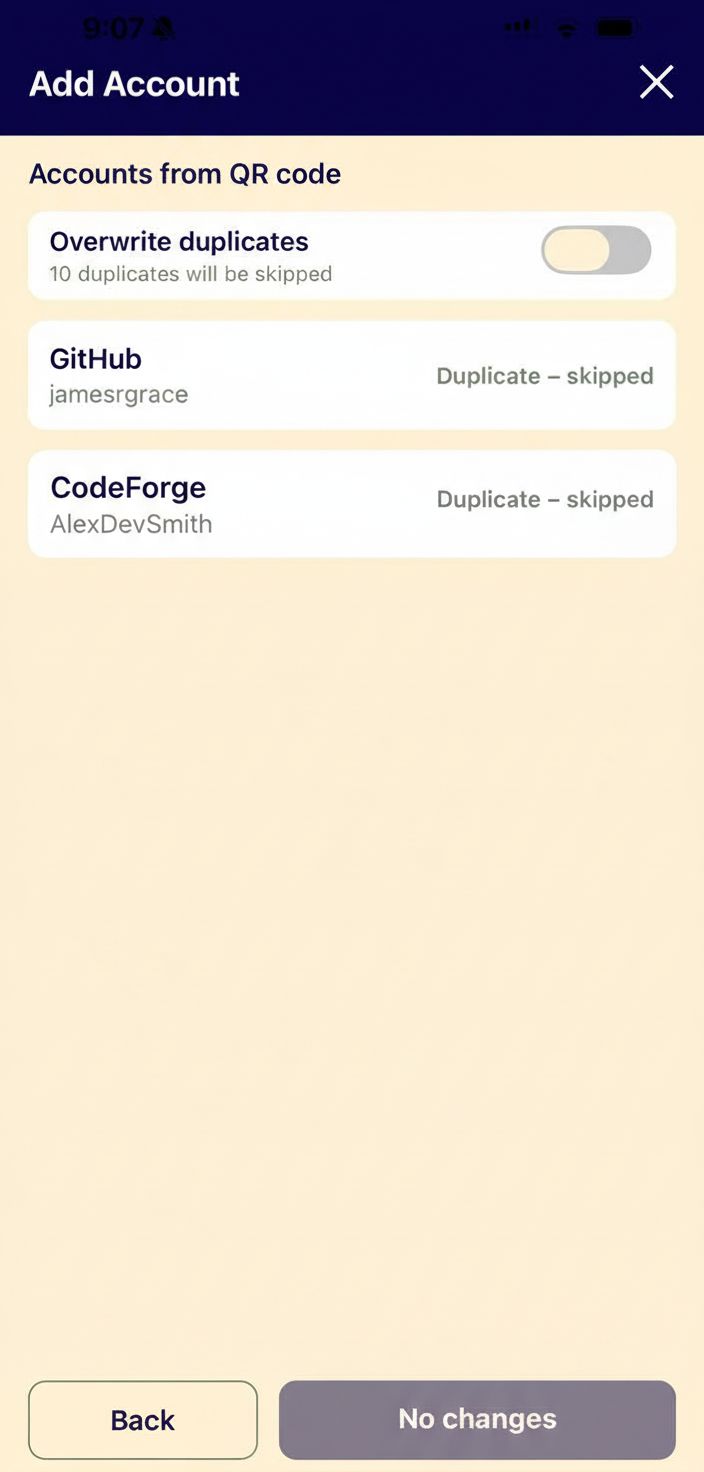
Step 8: Review imported accounts
MeCaptcha will show the accounts found in the QR code.
- If an account already exists in MeCaptcha, it may show as Duplicate - skipped.
- Leave Overwrite duplicates off unless you intentionally want to replace existing entries.
Tap Back when done, and repeat with the next QR code if needed.
Final checklist
Before deleting anything from Google Authenticator:
- Test at least one login for each critical account using a MeCaptcha-generated code.
- Confirm codes are accepted by the service.
- Save any backup/recovery codes from important accounts.
After verification, you can safely remove migrated accounts from Google Authenticator.